> ## Documentation Index
> Fetch the complete documentation index at: https://docs.labelbase.co/llms.txt
> Use this file to discover all available pages before exploring further.
# Your releases
> You will find all informations regarding release management
# Release list
You will find all your releases in the "releases" section of the app sidebar.
 Then you will have a list of all your release with different filters to filter them as you want (name, artists, labels, type etc.)
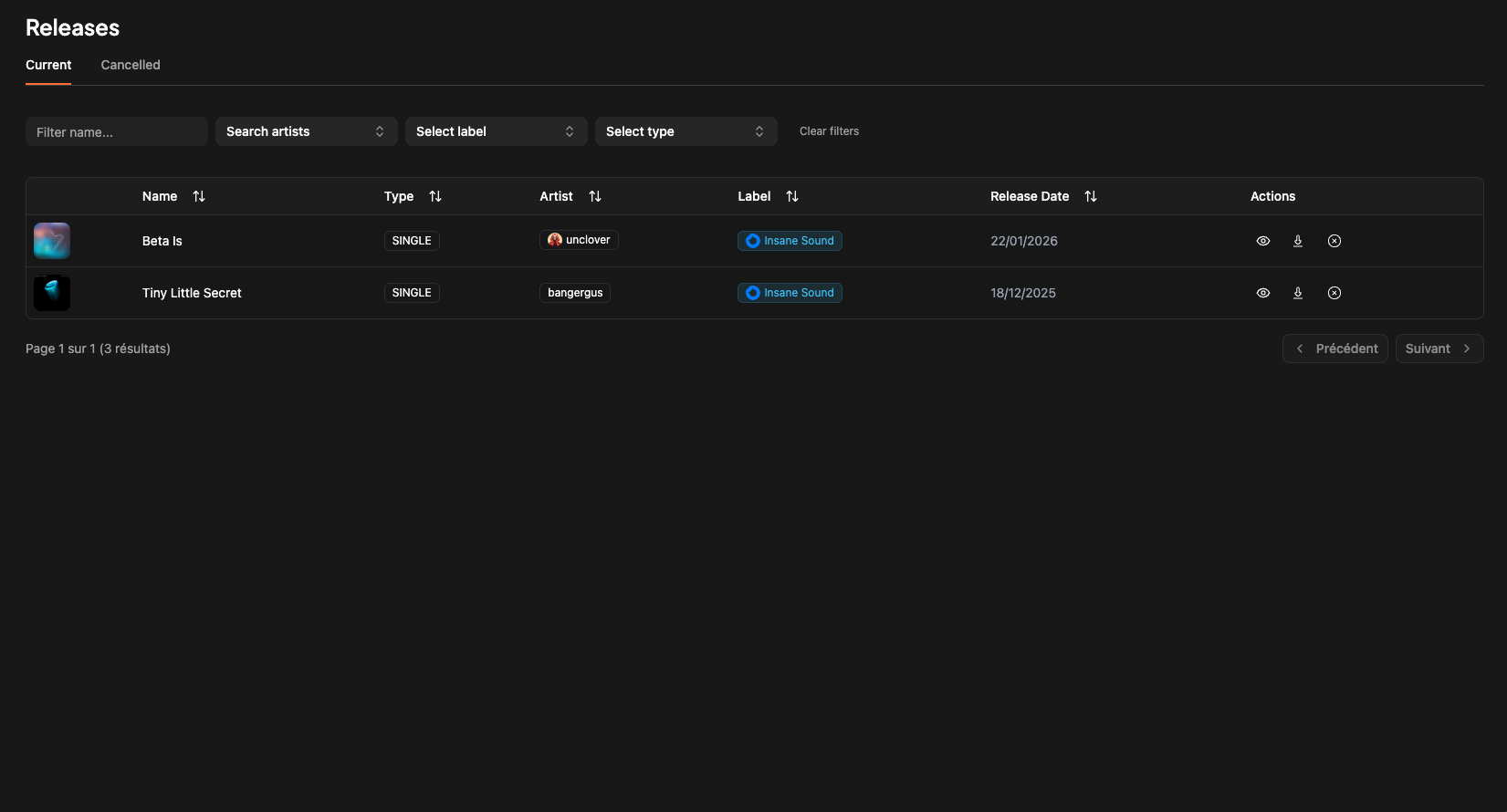 On each release line you will find these 3 icons :
 The first icon will redirect you to the release page.
The second icon will downlaod all the assets presents on the release (cover, master etc...). Assets are empty at the beginning.
The third icon will cancel a release if needed.
The first icon will redirect you to the release page.
The second icon will downlaod all the assets presents on the release (cover, master etc...). Assets are empty at the beginning.
The third icon will cancel a release if needed.