> ## Documentation Index
> Fetch the complete documentation index at: https://docs.labelbase.co/llms.txt
> Use this file to discover all available pages before exploring further.
# Playlists
> Everything regarding playlists
On Labelbase you can create as much playlists as you want. Playlist are very useful for commercial, and sync purpose. Each catalog can be private or public.
We are generating a page for each playlist, and an unique link that you can send to who ever you want.
# Playlists list
You can access your playlists by clicking on "playlists" item on the app sidebar.
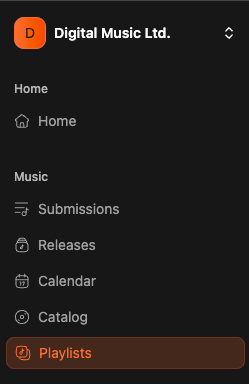 Then you will see all your playlists. Default, playlist list is empty.
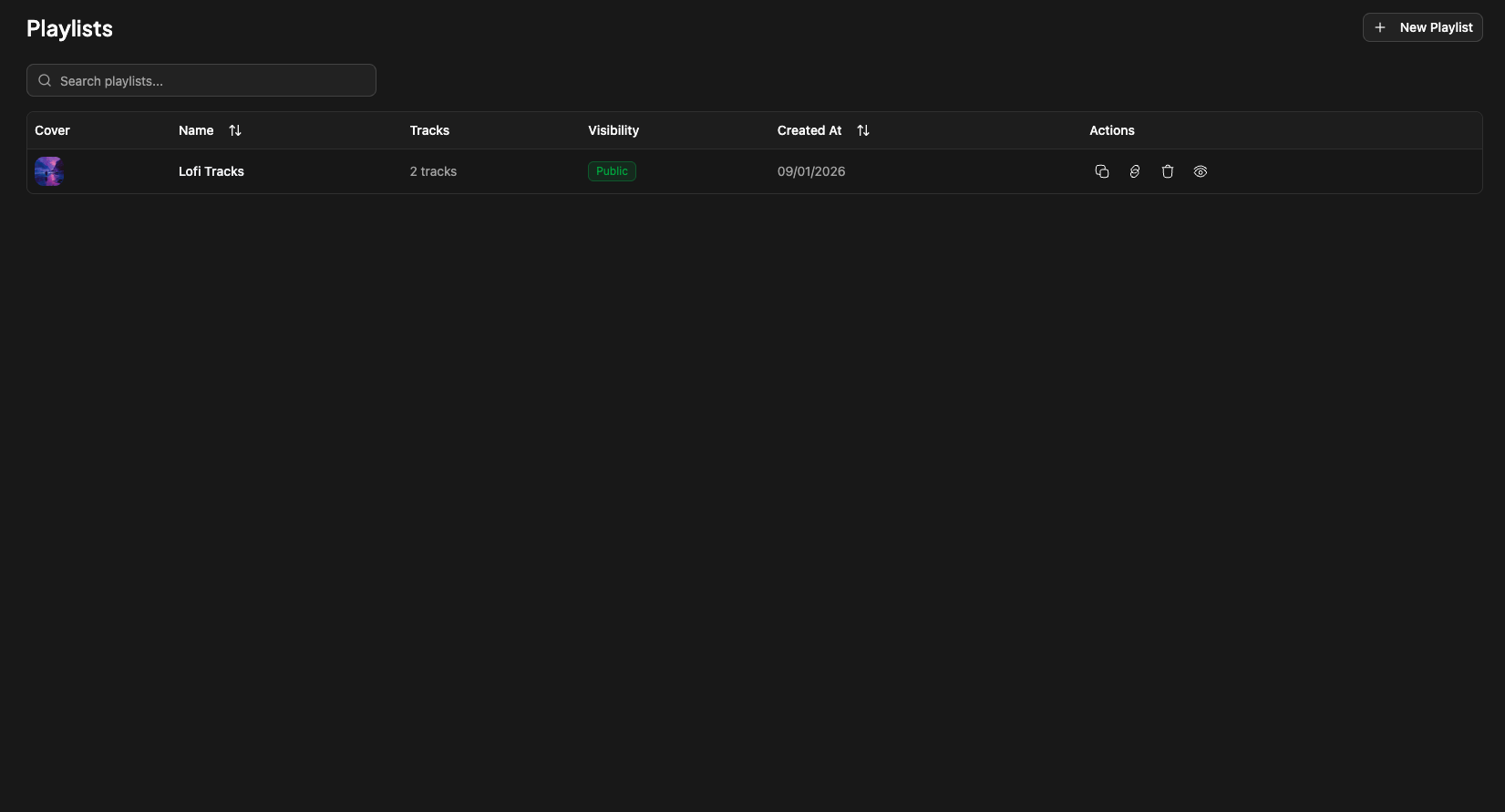 Each playlist item will display :
* cover (if uploaded)
* name
* number of tracks
* visibility (public/private)
* date of creation
and icons :
Each playlist item will display :
* cover (if uploaded)
* name
* number of tracks
* visibility (public/private)
* date of creation
and icons :
 The first icon copy the link of the playlist.
The second icon copy the access code of the playlist (if private)
The third icon delete the playlist
the last one open the playlist pannel. (you can also click on the playlist title)
# Playlist pannel
By clicking on the playlist title you will have a pannel opening
The first icon copy the link of the playlist.
The second icon copy the access code of the playlist (if private)
The third icon delete the playlist
the last one open the playlist pannel. (you can also click on the playlist title)
# Playlist pannel
By clicking on the playlist title you will have a pannel opening
 Here you will find all tracks in the playlist. You can re-organize all your tracks order. You can also delete track by selecting them on ticking the checkboxes :
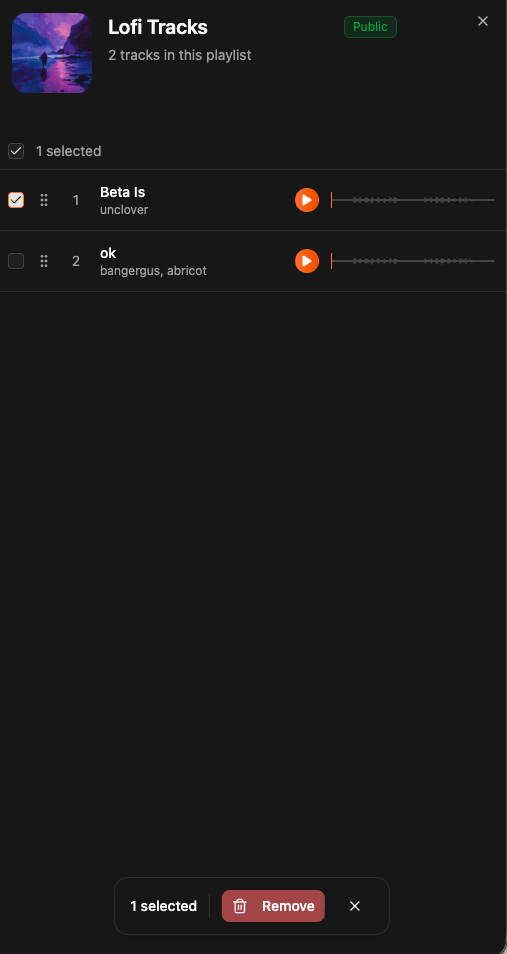 And then clicking "Delete" on the bottom action bar.
# Uploading a playlist cover
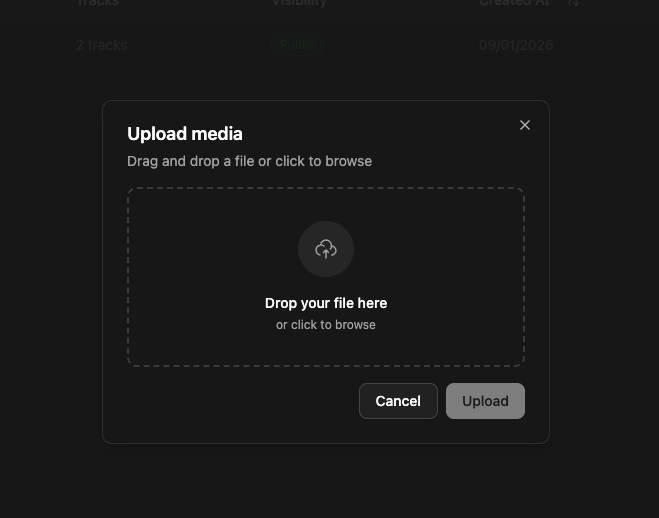
You can upload a playlist cover by opening the playlist pannel, and clicking on the existing cover or placeholder and upload :
And then clicking "Delete" on the bottom action bar.
# Uploading a playlist cover
You can upload a playlist cover by opening the playlist pannel, and clicking on the existing cover or placeholder and upload :
 # Public page
The playlist public page is automatically generated when creating a playlist and will look like this :
# Public page
The playlist public page is automatically generated when creating a playlist and will look like this :
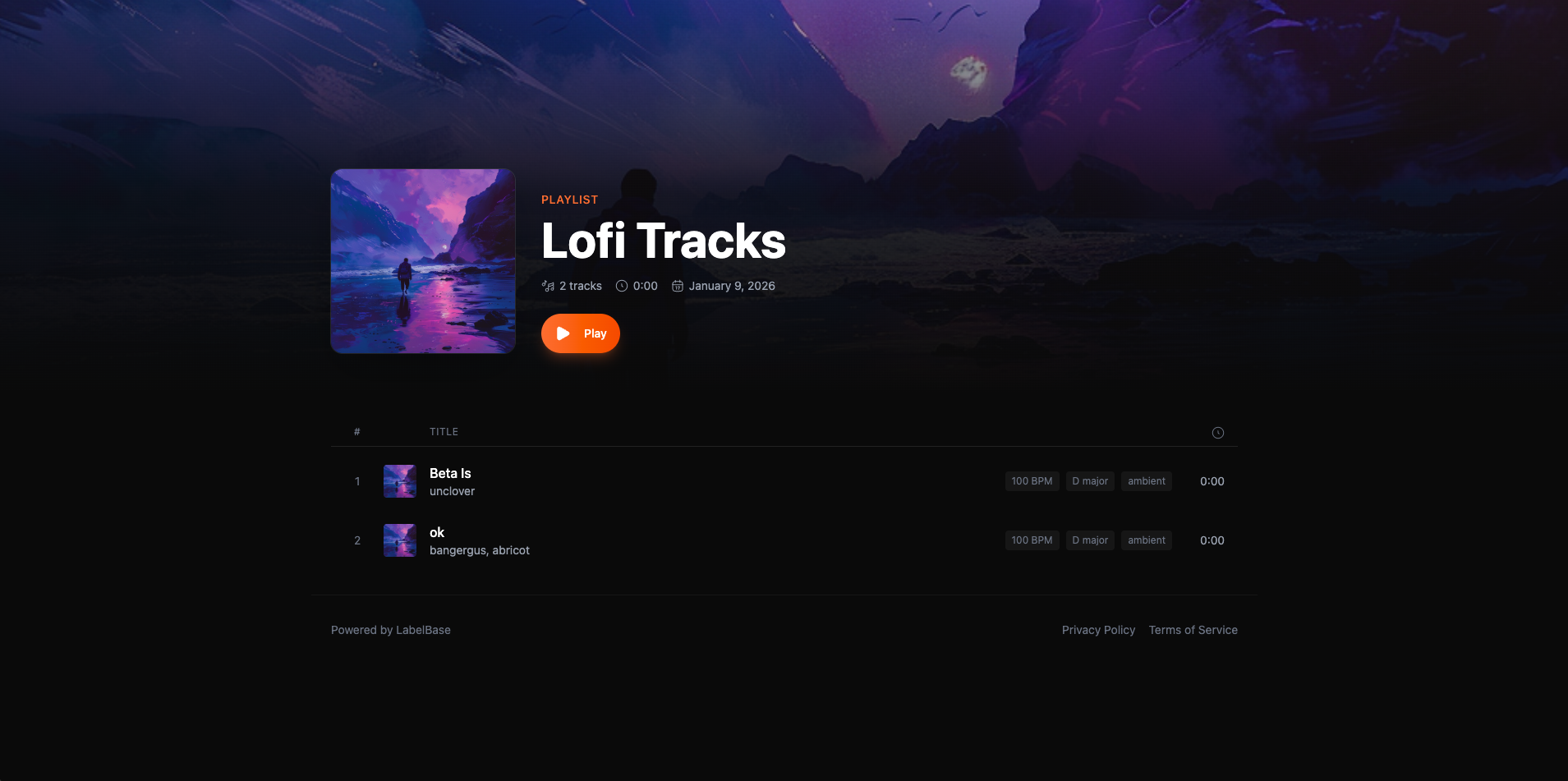 We are displaying our AI metadata to enrich the page and to help your partners having as much informations on a track as possible.